How To View BRTA Appointment Schedule of Fitness


 August 21, 2026 10:41 pm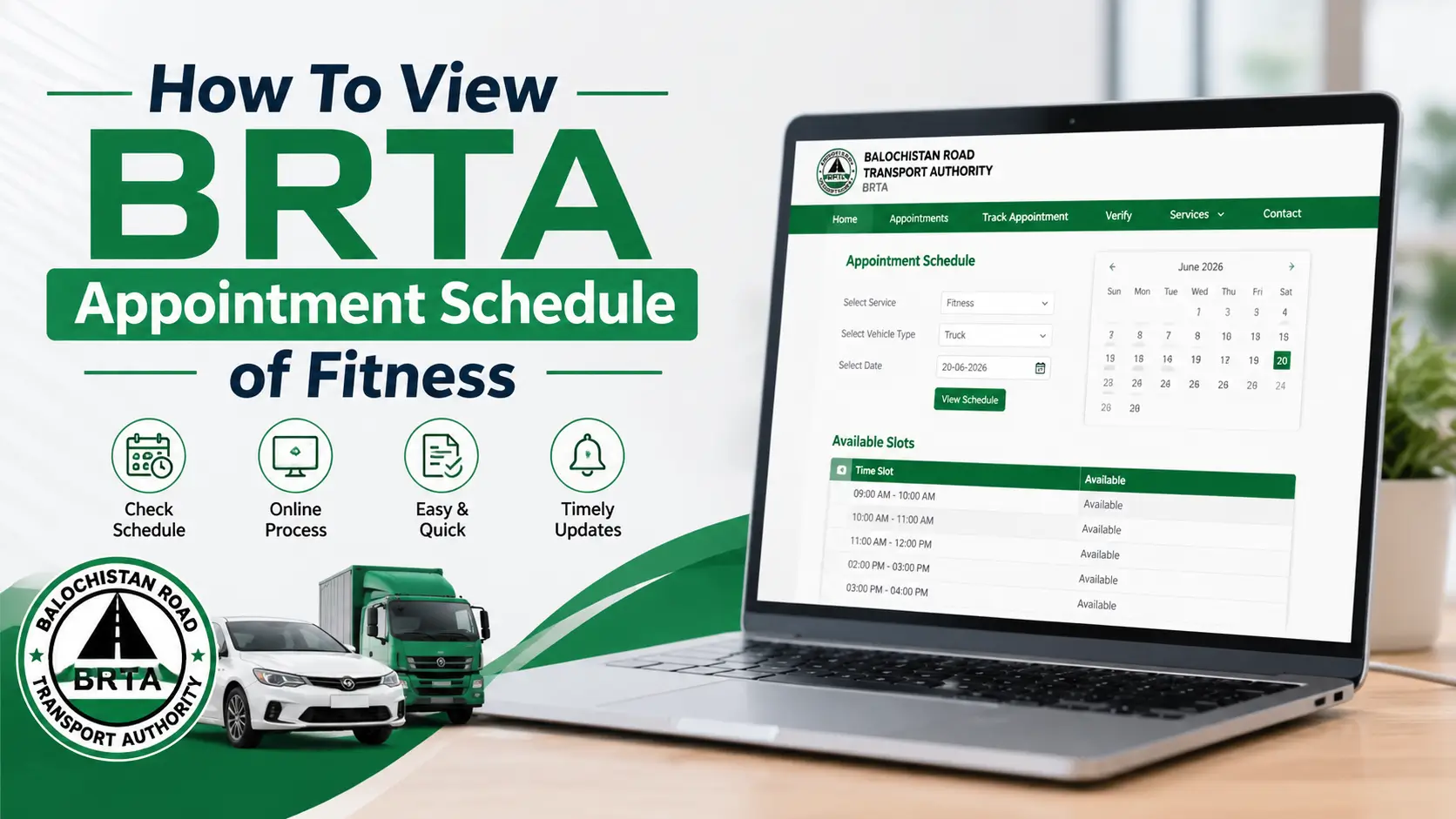
How To View BRTA Appointment Schedule of Fitness. The View Appointment Schedule of Fitness system allows vehicle owners to check available dates and time slots for their vehicle fitness test appointments. This online service helps users avoid long queues and schedule their vehicle inspection at their preferred BRTA (Bangladesh Road Transport Authority) branch or any other authorized fitness center.
With just a few clicks, you can easily view, book, or manage your fitness test appointment from home.
What Is the Vehicle Fitness Appointment System?
Every vehicle in Bangladesh must pass a fitness test to ensure it meets road safety and emission standards. The online appointment system simplifies this process by allowing users to:
- Check available slots at any fitness branch
- View booked (taken) and vacant appointments
- Choose a preferred date and time for inspection
- Avoid waiting at BRTA offices
How to View Appointment Schedule of Fitness
Follow these simple steps to check your fitness test schedule:
Step 1: Visit the Official Fitness Portal
Go to the official BRTA appointment portal (or your regional transport authority website).

Step 2: Select a Branch
From the dropdown menu labeled “Branch”, choose your nearest fitness center or BRTA office where you want to book the appointment.
Step 3: Choose a Date
In the “Date” field, enter the desired appointment date in the DD/MM/YYYY format.

Step 4: Click on “View”
Press the “View” button to see available appointment slots for that date and branch.
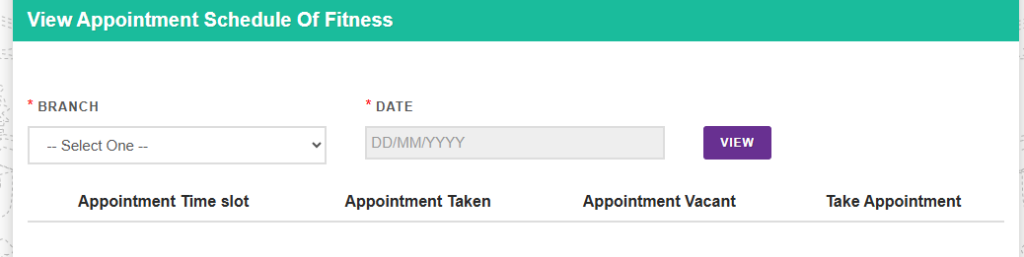
Step 5: Check Availability
You will see a table showing:
- Appointment Time Slot
- Appointment Taken
- Appointment Vacant
If slots are vacant, you can proceed to “Take Appointment” to confirm your booking.
Example of the Fitness Appointment Table
| Appointment Time Slot | Appointment Taken | Appointment Vacant | Action |
|---|---|---|---|
| 09:00 AM – 10:00 AM | 15 | 5 | Take Appointment |
| 10:00 AM – 11:00 AM | 20 | 0 | Full |
| 11:00 AM – 12:00 PM | 10 | 10 | Take Appointment |
Documents Required for Fitness Test Appointment
| Document Name | Purpose |
|---|---|
| Vehicle Registration Certificate (RC) | To verify ownership |
| Insurance Certificate | Proof of vehicle insurance |
| Tax Token | Valid tax payment proof |
| Previous Fitness Certificate (if any) | For renewal |
| Appointment Slip | Proof of online booking |
Benefits of Using the Online Fitness Appointment System
- No long queues: Schedule from home anytime.
- Transparency: Shows both booked and vacant slots.
- Time-saving: Choose your preferred date and time.
- Easy to reschedule: Modify appointment if needed.
- Paperless system: Receipts and slips are digital.
Tips for a Smooth Fitness Appointment
- Arrive at least 15 minutes early at your selected branch.
- Bring all required documents and your appointment slip.
- Ensure your vehicle is clean and in working condition.
- If you miss your slot, check again using the View Appointment Schedule feature for the next available time.
Conclusion
The View Appointment Schedule of Fitness portal is a convenient and transparent way to book your vehicle fitness test. By checking the available slots online, you can save time and ensure your vehicle remains legally compliant.

Visit the official BRTA website, select your branch and date, and easily book your vehicle fitness appointment within minutes.