BRTA Company User Registration Online 2026

 August 2, 2026 10:30 am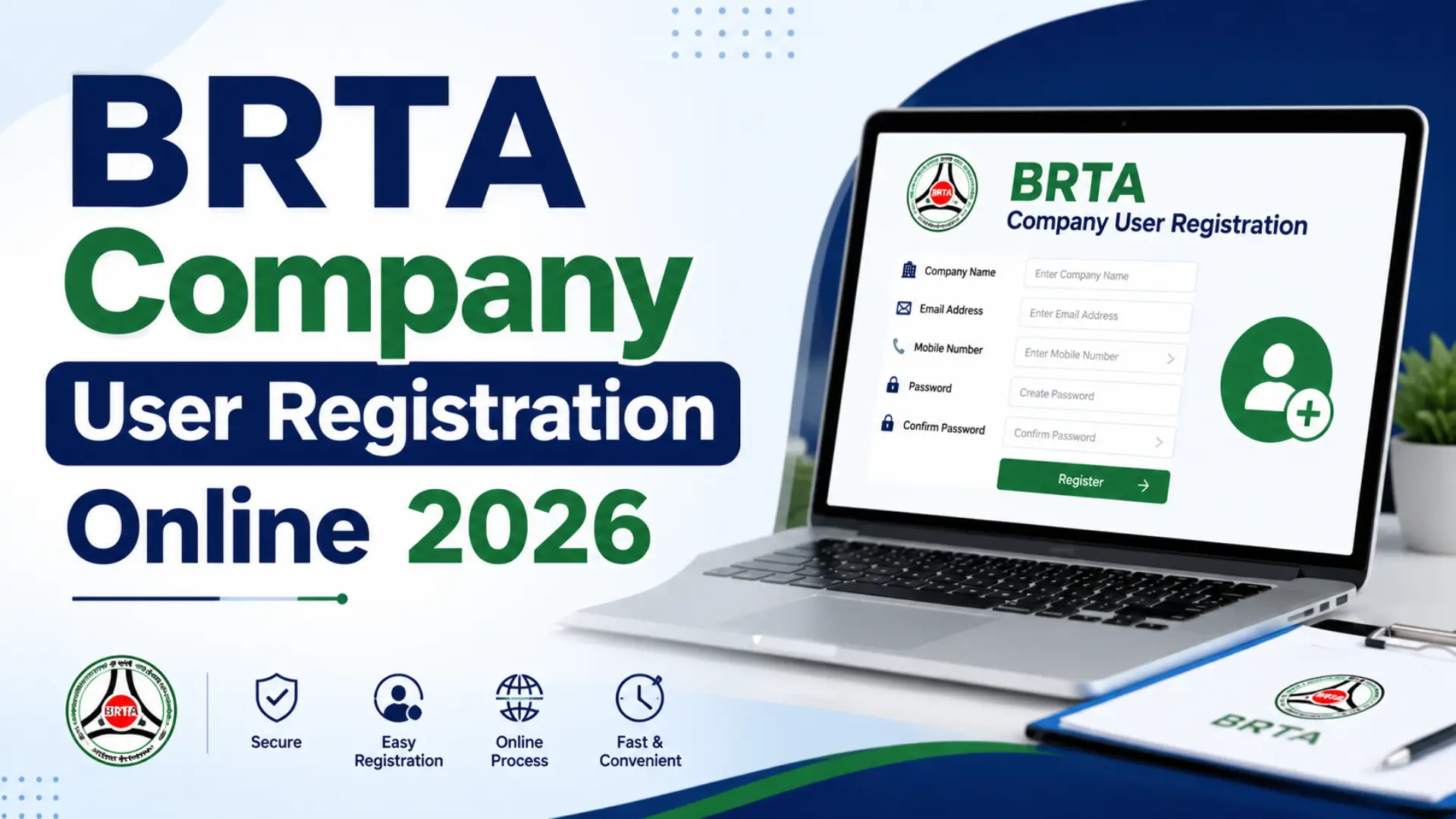
Company User Registration. The BRTA Service Portal (BSP) provides a convenient online platform for companies and organizations to access various transport-related services. Businesses that need to interact with the system must first complete the BRTA Company User Registration process. Registering as a company user allows organizations to manage their services online, submit required information, and communicate with the relevant authorities through a secure digital platform.
The registration process is simple and can be completed online by providing accurate company details. This guide explains everything you need to know about registering a company account on the BRTA Service Portal.
What is BRTA Company User Registration?
BRTA Company User Registration is the process through which a business entity creates an official account on the BRTA Service Portal (BSP). The account enables organizations to access online services and maintain their company information within the portal.
To successfully register, companies must provide valid business information such as their Trade License Number, TIN Number, VAT Registration Number, contact details, and other required information. It is important to ensure that all details entered during registration match the official records of the organization.
Requirements for Company Registration
Before starting the registration process, companies should prepare the following information:
- Company Name (as mentioned on the Trade License)
- Trade License Number
- TIN (Tax Identification Number)
- VAT Registration Number
- Active Email Address
- Mobile Number
- Secure Password
Having these details ready beforehand will help make the registration process faster and smoother.
How to Register as a Company User on BRTA Service Portal
Follow the steps below to create a company user account on the BRTA Service Portal:
Step 1: Visit the BRTA Service Portal
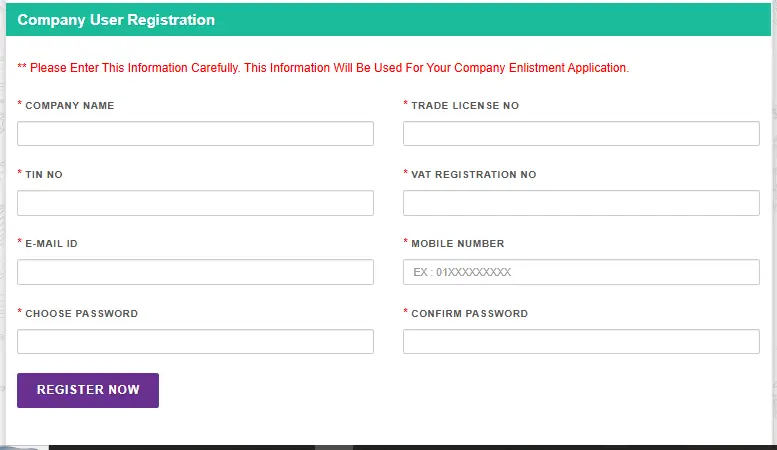
Begin by opening the official BRTA Service Portal and navigating to the Company User Registration or Company Enlistment section. This page is specifically designed for organizations that want to register and access online services.
Step 2: Enter Company Information
On the registration form, carefully enter the required company details. Ensure that all information is accurate and matches the records available on official company documents.
You will typically be asked to provide:
- Company Name
- Trade License Number
- TIN Number
- VAT Registration Number
- Email Address
- Mobile Number
Any incorrect information may delay the registration process or cause verification issues later.

Step 3: Create a Strong Password
To protect your company account, choose a secure password that combines:
- Uppercase letters
- Lowercase letters
- Numbers
- Special characters
A strong password helps prevent unauthorized access and keeps your company information secure.
Step 4: Review the Information
Before submitting the form, carefully review all the information entered. Double-check the company name, license details, tax information, email address, and phone number.
Correcting mistakes before submission can save time and help avoid registration problems.
Step 5: Complete the Registration
Once all information has been verified, click the Register button to submit your application. If the provided details are valid and complete, the system will process your registration request.

After successful registration, you may receive a confirmation message or notification through the portal.
Importance of Providing Accurate Information
Accuracy is one of the most important aspects of the BRTA company registration process. The information entered during registration may be used for verification and future service requests. Incorrect details can result in application delays, account issues, or difficulties accessing portal services.
For this reason, businesses should always ensure that:
- Company information matches official records.
- Contact details are active and accessible.
- Tax and VAT information is entered correctly.
- Registration documents are up to date.
Benefits of Registering a Company Account
Creating a company account on the BRTA Service Portal offers several advantages, including:
Easy Online Access
Businesses can access services online without needing to visit offices frequently.

Faster Processing
Online submissions often help reduce paperwork and streamline service requests.
Secure Account Management
Registered users can manage company information through a protected digital account.
Improved Communication
The portal enables organizations to receive updates, notifications, and important information electronically.
Convenient Record Keeping
Companies can maintain service-related records and information within a centralized online platform.
Common Registration Tips
To avoid issues during registration, consider the following recommendations:

- Use an active email address that can receive verification messages.
- Enter your mobile number correctly.
- Verify all business information before submitting the form.
- Store your login credentials in a secure location.
- Create a unique and strong password for account security.
Conclusion
The BRTA Company User Registration process is designed to help organizations access online services efficiently through the BRTA Service Portal. By providing accurate company information, creating a secure password, and completing the registration form correctly, businesses can quickly establish their online account and take advantage of the portal’s digital services.
Before starting the registration process, make sure you have all required information, including your company name, Trade License Number, TIN Number, VAT Registration Number, email address, and mobile number. Following the correct steps will ensure a smooth and successful registration experience.