How To Scan Driver License on Phone Easily


 August 2, 2026 10:28 am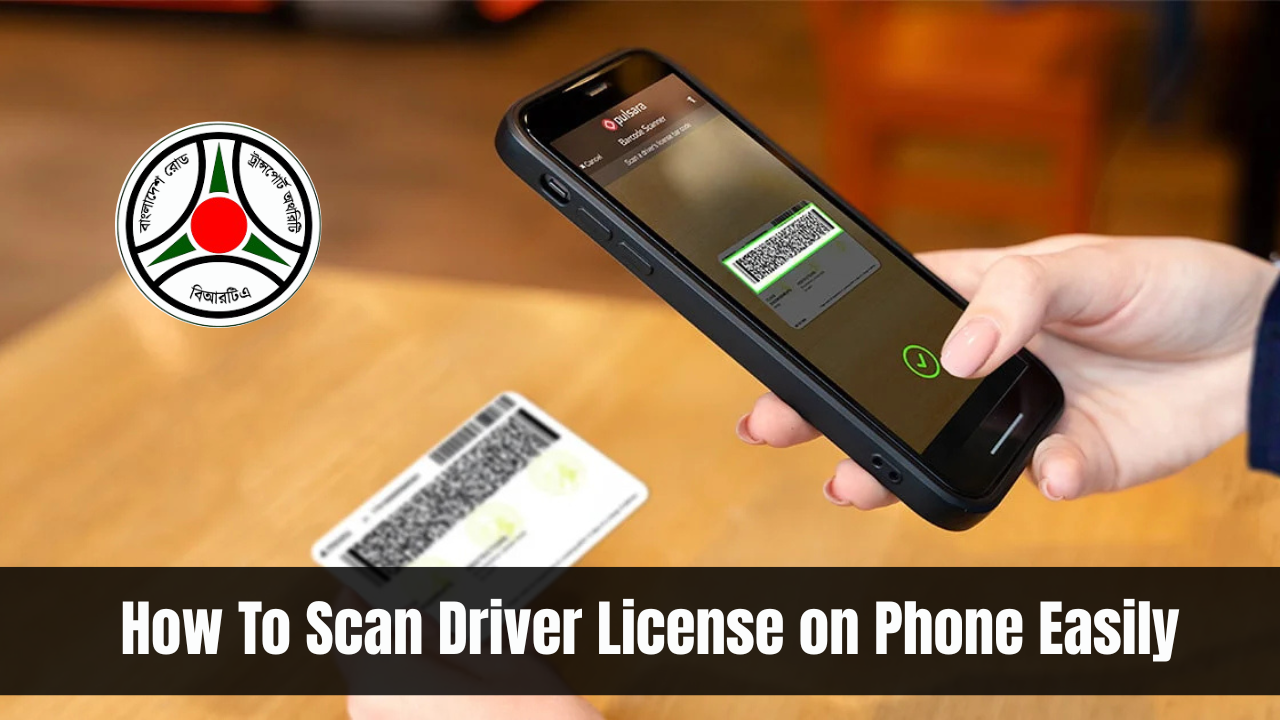
How To Scan Driver License on Phone Easily. Do you want to know how to scan your driver’s license on your phone without any hassle? In today’s digital world, you don’t always need a scanner machine. With your smartphone, you can quickly scan, save, and even verify your license. Whether you want to use a driving licence scanner online free, download a driver license scanner app, or scan the driver license QR code online, there are plenty of simple methods you can try.
This guide will explain step by step how to scan drivers license on phone in easy language so that you can do it anytime, anywhere. By the end of this article, you’ll know all the best ways to keep a safe and clear digital copy of your license.
Read Also: BRTA Service Portal
Why Scan Your Driver License on Phone?
In today fast lifestyle, carrying paper photocopies everywhere is no longer practical. Having a digital copy of your license on your phone makes life much easier. Here are a few reasons why:
Simply put, learning how to scan drivers license on phone can save you from stress in emergencies.
How To Scan Driver License on Phone Easily
Method 1: Use a Document Scanning App
The first and easiest way is to use common document scanning apps such as Google Drive, iScanner, or Adobe Scan.
Steps to scan with Google Drive:
This is the best method if you want a driving licence scanner online free solution. It’s quick, doesn’t cost money, and works well for personal use.
Method 2: Use a Driver License Scanner App
If you want more professional results, then using a dedicated driver license scanner app is the better choice. These apps are built to read ID cards and sometimes even verify authenticity.
Popular apps include:
How to Use a Driver License Scanner App
Some apps can even check if your ID is genuine, which is useful for businesses. If you’re wondering how to scan drivers license on phone with accuracy, this is one of the best options.

Method 3: Scan Driving License QR Code Online
Many modern driving licenses come with a QR code printed on them. This QR code contains your license details and can be scanned instantly.
Steps to scan the QR code:
This method is very handy when you just want a quick check or verification without saving full scanned copies.
Method 4: Use a PDF417 Scanner
Most driver’s licenses have a PDF417 barcode on the back. This barcode contains complete details like your name, date of birth, and license number. A PDF417 scanner app can easily decode it.
How it works:
This is the method many companies and government offices use for verification. If your goal is not just scanning but extracting data from the license, then this is a smart option.

Method 5: Use an Online ID Scanner
If you don’t want to install any apps, you can use a web-based ID scanner. These online platforms allow you to scan your license directly through your phone camera.
Steps:
This method is useful when you are in a hurry and don’t want to waste space installing apps. It’s another quick way of learning how to scan drivers license on phone without effort.
Tips For a Clear and Successful Scan
Scanning may look simple, but a few small mistakes can make the image blurry or unreadable. Keep these points in mind:
These tips ensure that your scanned license looks professional and can be accepted on most platforms.
Best Apps For Scanning Driver License
Here’s a quick comparison of the best apps to help you choose the right one:
| App Name | Features | Free/Paid |
|---|---|---|
| Google Drive | Simple scanning, saves as PDF | Free |
| iScanner | ID scan, combine both sides | Free + Paid |
| Adobe Scan | Auto-enhance, cloud storage | Free |
| PDF417 App | Reads license barcode | Paid |
| IDScan.net | Business-level ID scanner | Paid |
If you just want a quick scan, Google Drive is enough. If you want professional features, apps like iScanner or IDScan.net are better choices.
Advantages of Scanning Your Driver License
Having a scanned copy of your license gives you many benefits:

Conclusion
Scanning your driver’s license on your phone is not complicated at all. In fact, it can be done in just a few minutes. You can use a driving licence scanner online free, a driver license scanner app, a QR code scanner, or even a PDF417 scanner. The method you choose depends on your needs whether it’s for quick verification, safe backup, or professional use.
Now that you know how to scan drivers license on phone, you can keep your ID secure, digital, and ready whenever needed. This small step can save you a lot of time, effort, and stress in the future